
App installieren
How to install the app on iOS
Follow along with the video below to see how to install our site as a web app on your home screen.
Anmerkung: This feature may not be available in some browsers.
Du verwendest einen veralteten Browser. Es ist möglich, dass diese oder andere Websites nicht korrekt angezeigt werden.
Du solltest ein Upgrade durchführen oder einen alternativen Browser verwenden.
Du solltest ein Upgrade durchführen oder einen alternativen Browser verwenden.
PS3 Fehlermeldung
- Ersteller Symetic
- Erstellt am
Jump to last post
Weitere
Who Replied?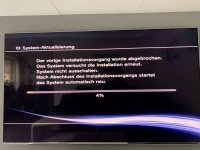

Symetic
NGBler
- Registriert
- 16 Juli 2013
- Beiträge
- 99
- Thread Starter Thread Starter
- #3
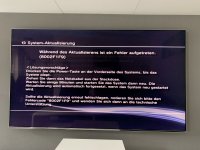
Das Recovery Menu kannte ich noch gar nicht, danke für den Tipp. Leider lässt es sich bei mir nicht aufrufen. Ich lande immer wieder in dem Installationsprozess für das Update. Das bricht dann irgendwo bei 60% mit der Fehlermeldung ab.
Macht es Sinn, die Festplatte einmal auszubauen und neu zu formatieren? Ich denke die scheint einen weg zu haben.
Macht es Sinn, die Festplatte einmal auszubauen und neu zu formatieren? Ich denke die scheint einen weg zu haben.

kafuka
-
- Registriert
- 20 Okt. 2017
- Beiträge
- 122
Sorry
An den ersten Step konnte ich mich nicht mehr erinnern.
Tutorial
An den ersten Step konnte ich mich nicht mehr erinnern.
With the system in standby mode. Press and hold the power button down until the system turns on and then off again
Tutorial
Getting into recovery mode
With the system in standby mode. Press and hold the power button down until the system turns on and then off again. Release the power button. It is very important to hold the power button until the console shuts off and to release the power button before continuing to step 2.
After about 1 - 2 seconds press and hold the power button again until you hear 2 consecutive beeps. Release the power button. During this step you will actually hear three beeps. There will be one single beep then a short delay followed by the 2 consecutive beeps. Only release the power button after the 2 consecutive beeps.
Some people have trouble hearing the beeps: the LED goes off the same moment it beeps, so the 2 consecutive beeps can also be noticed by seeing the green LED fast blink off twice.
You will then be instructed to plug in a controller, via the USB cord, and press the PS button : "Connect the controller using a USB cable and then press the PS button".
It may be needed (in rare cases) to reset + re-pair the controller again with the tiny button on the back (before entering recovery mode), to be able to proceed after being instructed, to plug in a controller via the USB cord
You do not have permission to view link please Anmelden or Registrieren
Zuletzt bearbeitet: