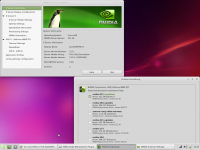
Linux Mint 17 mit AL1916W in 1440x900

huwul

Neu angemeldet
Registriert
8 Juli 2014
Beiträge
30
Habe mir Linux Mint 17 Mate installiert bei folgender Hardware:

Pentium 4 @3Ghz
1,5GB DDR-RAM
Geforce 8800 GT
Acer AL1916W (Bildschirm)

Mein Problem ist allerdings, dass meine Bildschirmauflösung nicht erkannt wird. Habe bereits probiert sie manuell hinzuzufügen über die xorg.conf, allerdings hat dies nicht funktioniert. Benutze den Treiber 331.38. Entscheidend ist glaube ich allerdings, dass mein Bildschirm nicht erkannt wird. Unter den Bildschirmeinstellungen wird der Monitor nämlich auch als "Unbekannt" deklariert.
Hatte es bei Mageia 4 ähnlich, allerdings gab es dort die Möglichkeit den Bildschirm manuell nach Hersteller und Modell auszuwählen, wonach ich dann die Auflösung richtig einstellen konnte.

Nun würde ich gerne meine Auflösung (1440x900) irgendwie einstellen können, denn auch unter den nVidia Treibereinstellungen ist dies manuell nicht möglich.


cvt 1440 900 60
# 1440x900 59.89 Hz (CVT 1.30MA) hsync: 55.93 kHz; pclk: 106.50 MHz
Modeline "1440x900_60.00" 106.50 1440 1528 1672 1904 900 903 909 934 -hsync +vsync

xrandr
Screen 0: minimum 8 x 8, current 1024 x 768, maximum 8192 x 8192
DVI-I-0 connected primary 1024x768+0+0 (normal left inverted right x axis y axis) 0mm x 0mm
1024x768 60.0*+
1360x768 60.0 59.8
1152x864 60.0
800x600 72.2 60.3 56.2
680x384 60.0 59.8
640x480 59.9
512x384 60.0
400x300 72.2
320x240 60.1
DVI-I-1 disconnected (normal left inverted right x axis y axis)
TV-0 disconnected (normal left inverted right x axis y axis)
DVI-I-2 disconnected (normal left inverted right x axis y axis)
DVI-I-3 disconnected (normal left inverted right x axis y axis)

Das sind die Ausgaben von xrandr und cvt 1440 900.

habe auch bereits folgendes probiert:

xrandr --newmode "1440x900_60.00" 106.50 1440 1528 1672 1904 900 903 909 934 -hsync +vsync

xrandr --addmode DVI-I-0 "1440x900_60.00"
X Error of failed request: BadMatch (invalid parameter attributes)
Major opcode of failed request: 140 (RANDR)
Minor opcode of failed request: 18 (RRAddOutputMode)
Serial number of failed request: 31
Current serial number in output stream: 32

Und dabei hört es dann auf.

Habe auch mit der xorg.conf Datei probiert allerdings kam dabei nichts heraus und finde nirgends weit und breit jemanden der mir dabei helfen kann...
 
  • Thread Starter Thread Starter
  • #3
xorg.conf:
Section "ServerLayout"
Identifier "X.org Configured"
Screen 0 "Screen0" 0 0
InputDevice "Mouse0" "CorePointer"
InputDevice "Keyboard0" "CoreKeyboard"
EndSection

Section "Files"
ModulePath "/usr/lib/xorg/modules"
FontPath "/usr/share/fonts/X11/misc"
FontPath "/usr/share/fonts/X11/cyrillic"
FontPath "/usr/share/fonts/X11/100dpi/:unscaled"
FontPath "/usr/share/fonts/X11/75dpi/:unscaled"
FontPath "/usr/share/fonts/X11/Type1"
FontPath "/usr/share/fonts/X11/100dpi"
FontPath "/usr/share/fonts/X11/75dpi"
FontPath "built-ins"
EndSection

Section "Module"
Load "glx"
EndSection

Section "InputDevice"
Identifier "Keyboard0"
Driver "kbd"
EndSection

Section "InputDevice"
Identifier "Mouse0"
Driver "mouse"
Option "Protocol" "auto"
Option "Device" "/dev/input/mice"
Option "ZAxisMapping" "4 5 6 7"
EndSection

Section "Monitor"
Identifier "Monitor0"
VendorName "Monitor Vendor"
ModelName "Monitor Model"
Modeline "1440x900_60.00" 106.50 1440 1528 1672 1904 900 903 909 934 -hsync +vsync
Option "PreferredMode" "1440x900_60.00"
EndSection

Section "Device"
### Available Driver options are:-
### Values: <i>: integer, <f>: float, <bool>: "True"/"False",
### <string>: "String", <freq>: "<f> Hz/kHz/MHz",
### <percent>: "<f>%"
### [arg]: arg optional
#Option "SWcursor" # [<bool>]
#Option "HWcursor" # [<bool>]
#Option "NoAccel" # [<bool>]
#Option "ShadowFB" # [<bool>]
#Option "VideoKey" # <i>
#Option "WrappedFB" # [<bool>]
#Option "GLXVBlank" # [<bool>]
#Option "ZaphodHeads" # <str>
#Option "PageFlip" # [<bool>]
#Option "SwapLimit" # <i>
#Option "AsyncUTSDFS" # [<bool>]
Identifier "Card0"
Driver "nouveau"
BusID "PCI:1:0:0"
Option "Monitor0"
EndSection

Section "Screen"
Identifier "Screen0"
Device "Card0"
Monitor "Monitor0"
DefaultDepth 24
SubSection "Display"
Viewport 0 0
Depth 1
EndSubSection
SubSection "Display"
Viewport 0 0
Depth 4
EndSubSection
SubSection "Display"
Viewport 0 0
Depth 8
EndSubSection
SubSection "Display"
Viewport 0 0
Depth 15
EndSubSection
SubSection "Display"
Viewport 0 0
Depth 16
EndSubSection
SubSection "Display"
Viewport 0 0
Depth 24
Modes "1440x900"
EndSubSection
EndSection
 
  • Thread Starter Thread Starter
  • #5
Ausgabe davon:

glxinfo | grep render
Xlib: extension "GLX" missing on display ":0.0".
Error: couldn't find RGB GLX visual or fbconfig
Xlib: extension "GLX" missing on display ":0.0".
Error: couldn't find RGB GLX visual or fbconfig
 
Zuletzt bearbeitet:
Eine Zeile hätte gereicht ;)

Wie auch immer: Dein X benutzt nicht den Nvidia-treiber sondern den freien (und unvollständigen) nouveau-Treiber. Deshalb kannst du auch in den Nvidia-Settings einstellen was du willst, den nouveau-Treiber interessiert das nicht.
Am besten liest du nochmal nach, wie man unter Mint den richtigen Treiber auswählt.
 
  • Thread Starter Thread Starter
  • #7
Screenshot - 10.07.2014 - 12:47:07.png

und ich bleib dabei dass ich den Treiber installiert habe :o

wüsste jetzt nicht was daran falsch sein sollte..
 
Wenn du den nouveau treiber deaktivieren willst:

[src=bash]su "nano /etc/modprobe.d/nvidia-graphics-drivers.conf"[/src]

[src=bash]# This file was installed by nvidia-current-updates
# Do not edit this file manually

blacklist nouveau
blacklist lbm-nouveau
blacklist nvidia-173
blacklist nvidia-96
blacklist nvidia-current
blacklist nvidia-173-updates
blacklist nvidia-96-updates
alias nvidia nvidia_current_updates
alias nouveau off
alias lbm-nouveau off[/src]

Danach musst du den X Server neustarten.
[src=bash]service (lightdm/gdm/was auch immer) restart[/src]
 
  • Thread Starter Thread Starter
  • #9
# This file was installed by nvidia-331
# Do not edit this file manually

blacklist nouveau
blacklist lbm-nouveau
blacklist nvidia-173
blacklist nvidia-96
blacklist nvidia-current-updates
blacklist nvidia-173-updates
blacklist nvidia-96-updates
blacklist nvidia-331-updates
alias nvidia nvidia_331
alias nvidia-uvm nvidia_331-uvm
alias nouveau off
alias lbm-nouveau off

steht also genau so in der .conf Datei bereits drin..
 
Ich hatte ein ähnliches Problem mal mit einem Epson-Druckertreiber. Da hat einfaches Deaktivieren gar nichts gebracht, erst die Deinstallation. Obwohl vorher überall angezeigt wurde, dass darauf gar nicht zugegriffen würde.
 
  • Thread Starter Thread Starter
  • #12
Section "ServerLayout"
Identifier "X.org Configured"
Screen 0 "Screen0" 0 0
InputDevice "Mouse0" "CorePointer"
InputDevice "Keyboard0" "CoreKeyboard"
EndSection

Section "Files"
ModulePath "/usr/lib/xorg/modules"
FontPath "/usr/share/fonts/X11/misc"
FontPath "/usr/share/fonts/X11/cyrillic"
FontPath "/usr/share/fonts/X11/100dpi/:unscaled"
FontPath "/usr/share/fonts/X11/75dpi/:unscaled"
FontPath "/usr/share/fonts/X11/Type1"
FontPath "/usr/share/fonts/X11/100dpi"
FontPath "/usr/share/fonts/X11/75dpi"
FontPath "built-ins"
EndSection

Section "Module"
Load "glx"
EndSection

Section "InputDevice"
Identifier "Keyboard0"
Driver "kbd"
EndSection

Section "InputDevice"
Identifier "Mouse0"
Driver "mouse"
Option "Protocol" "auto"
Option "Device" "/dev/input/mice"
Option "ZAxisMapping" "4 5 6 7"
EndSection

Section "Monitor"
Identifier "Monitor0"
VendorName "Monitor Vendor"
ModelName "Monitor Model"
Modeline "1440x900_60.00" 106.50 1440 1528 1672 1904 900 903 909 934 -hsync +vsync
Option "PreferredMode" "1440x900_60.00"
EndSection

Section "Device"
Identifier "Card0"
Driver "nvidia"
BusID "PCI:1:0:0"
Option "Monitor0"
EndSection

Section "Screen"
Identifier "Screen0"
Device "Card0"
Monitor "Monitor0"
DefaultDepth 24
SubSection "Display"
Viewport 0 0
Depth 1
EndSubSection
SubSection "Display"
Viewport 0 0
Depth 4
EndSubSection
SubSection "Display"
Viewport 0 0
Depth 8
EndSubSection
SubSection "Display"
Viewport 0 0
Depth 15
EndSubSection
SubSection "Display"
Viewport 0 0
Depth 16
EndSubSection
SubSection "Display"
Viewport 0 0
Depth 24
Modes "1440x900" "1024x768" "640x480"
EndSubSection
EndSection

Das ist jetzt meine xorg.conf , nach einer nötigen Neuinstallation des Systems + Nutzung des Treibers 331.38 - updates.

und hier die Ausgabe:

[src=bash]glxinfo | grep render
direct rendering: Yes
OpenGL renderer string: GeForce 8800 GT/PCIe/SSE2
GL_KTX_buffer_region, GL_NVX_conditional_render, GL_NVX_gpu_memory_info,
GL_NV_ES1_1_compatibility, GL_NV_blend_square, GL_NV_conditional_render,
GL_NV_path_rendering, GL_NV_pixel_data_range, GL_NV_point_sprite,
GL_KTX_buffer_region, GL_NVX_conditional_render, GL_NVX_gpu_memory_info,
GL_NV_ES1_1_compatibility, GL_NV_blend_square, GL_NV_conditional_render,
GL_NV_path_rendering, GL_NV_pixel_data_range, GL_NV_point_sprite,
[/src]
 
  • Thread Starter Thread Starter
  • #14
Jap, allerdings ist nix mit richtiger Auflösung..
Was langsam echt nervig wird..
 
Hab mir eben einen alten Bildschirm genommen -> 1440x900
[src=bash]su -c "nvidia-xconfig"[/src]

Habe deine Daten nun mal eingesetzt.
Das kam dabei raus.

[src=bash]
...

Section "Monitor"
Identifier "Monitor0"
VendorName "Acer"
ModelName "Acer AL1916W"
HorizSync 30-82
Vertrefresh 56-76
Modeline "1440x900" 106.5 1440 1520 1672 1904 900 901 904 932 -HSync +VSync
Option "DPMS"
EndSection


Section "Device"
Identifier "Device0"
Driver "nvidia"
VendorName "NVIDIA Corporation"
BoardName "GeForce GT 8800"
BusID "PCI:1:0:0"
EndSection


Section "Screen"
Identifier "Screen0"
Device "Device0"
Monitor "Monitor0"
DefaultDepth 24
Option "Stereo" "0"
Option "metamodes" "DFP-0: nvidia-auto-select +0+0, DFP-1: nvidia-a$
SubSection "Display"
Depth 24
EndSubSection
EndSection[/src]

Nach einem Neustart funktionierte es auf anhieb.
 
Zuletzt bearbeitet:
  • Thread Starter Thread Starter
  • #16
Problem hat sich in sofern erledigt, als dass ich mit meiner alten 7600GT überhaupt gar nicht solche Probleme bekam.
 
Zurück
Oben